4.2
环境说明
10.1.6.104
# pwd
/root/wnh/Istio/istio-1.20.0
# kubectl get pod
NAME                              READY   STATUS      RESTARTS   AGE
details-v1-7745b6fcf4-lzgrh       2/2     Running     0          6d4h
productpage-v1-6f89b6c557-x4kvq   2/2     Running     0          6d4h
ratings-v1-77bdbf89bb-bxfvm       2/2     Running     0          6d4h
reviews-v1-667b5cc65d-9vlwh       2/2     Running     0          6d4h
reviews-v2-6f76498fc8-46bj5       2/2     Running     0          6d4h
reviews-v3-5d8667cc66-68pxm       2/2     Running     0          6d4h
# kubectl get pod -n istio-system
NAME                                   READY   STATUS    RESTARTS   AGE
grafana-7bd5db55c4-62tdn               1/1     Running   0          6d4h
istio-egressgateway-587d8cdb96-klgkx   1/1     Running   0          6d22h
istio-ingressgateway-d44f5ccd6-2lf8p   1/1     Running   0          6d22h
istiod-8d5c88bcc-g25cl                 1/1     Running   0          6d22h
jaeger-78756f7d48-v5kqz                1/1     Running   0          6d4h
kiali-b5b6db688-gp68j                  1/1     Running   0          5h32m
loki-0                                 0/1     Pending   0          110m
prometheus-67f6764db9-hvxzj            2/2     Running   0          6d4h
官网文档
https://istio.io/latest/zh/docs/setup/getting-started/#bookinfo
安装日志
pwd | 10.1.6.104
[root@master Istio]# pwd
/root/wnh/Istio

# curl -L https://istio.io/downloadIstio | sh -
  % Total    % Received % Xferd  Average Speed   Time    Time     Time  Current
                                 Dload  Upload   Total   Spent    Left  Speed
100   101  100   101    0     0    203      0 --:--:-- --:--:-- --:--:--   203
100  4899  100  4899    0     0   5347      0 --:--:-- --:--:-- --:--:--  5347

Downloading istio-1.20.0 from https://github.com/istio/istio/releases/download/1.20.0/istio-1.20.0-linux-amd64.tar.gz ...

Istio 1.20.0 Download Complete!

Istio has been successfully downloaded into the istio-1.20.0 folder on your system.

Next Steps:
See https://istio.io/latest/docs/setup/install/ to add Istio to your Kubernetes cluster.

To configure the istioctl client tool for your workstation,
add the /root/wnh/Istio/istio-1.20.0/bin directory to your environment path variable with:
         export PATH="$PATH:/root/wnh/Istio/istio-1.20.0/bin"

Begin the Istio pre-installation check by running:
         istioctl x precheck

Need more information? Visit https://istio.io/latest/docs/setup/install/
# export PATH="$PATH:/root/wnh/Istio/istio-1.20.0/bin"
[root@master Istio]# istioctl manifest apply --set profile=demo
This will install the Istio 1.20.0 "demo" profile (with components: Istio core, Istiod, Ingress gateways, and Egress gateways) into the cluster. Proceed? (y/N) y
✔ Istio core installed
✔ Istiod installed
✔ Ingress gateways installed
✔ Egress gateways installed
✔ Installation complete                                                                                                                                                                      Made this installation the default for injection and validation.
安装bookinfo示例
kubectl apply -f samples/bookinfo/platform/kube/bookinfo.yaml
# kubectl get services
NAME              TYPE        CLUSTER-IP     EXTERNAL-IP   PORT(S)             AGE
details           ClusterIP   10.1.64.199    <none>        9080/TCP            6d5h
kubernetes        ClusterIP   10.1.0.1       <none>        443/TCP             54d
loki              ClusterIP   10.1.96.29     <none>        3100/TCP,9095/TCP   42m
loki-memberlist   ClusterIP   None           <none>        7946/TCP            42m
nginx             ClusterIP   10.1.81.58     <none>        80/TCP              41d
productpage       ClusterIP   10.1.227.99    <none>        9080/TCP            6d5h
ratings           ClusterIP   10.1.125.130   <none>        9080/TCP            6d5h
reviews           ClusterIP   10.1.33.21     <none>        9080/TCP            6d5h
# kubectl get pods
NAME                              READY   STATUS      RESTARTS   AGE
details-v1-7745b6fcf4-lzgrh       2/2     Running     0          6d5h
hello-goodbye-run-goodbye-pod     0/1     Completed   0          46d
hello-goodbye-run-hello-pod       0/1     Completed   0          46d
hello-task-run-pod                0/1     Completed   0          46d
loki-0                            2/2     Running     0          43m
nginx-5cd949c459-d8frv            1/1     Running     0          41d
productpage-v1-6f89b6c557-x4kvq   2/2     Running     0          6d5h
ratings-v1-77bdbf89bb-bxfvm       2/2     Running     0          6d5h
reviews-v1-667b5cc65d-9vlwh       2/2     Running     0          6d5h
reviews-v2-6f76498fc8-46bj5       2/2     Running     0          6d5h
reviews-v3-5d8667cc66-68pxm       2/2     Running     0          6d5h
# kubectl exec "$(kubectl get pod -l app=ratings -o jsonpath='{.items[0].metadata.name}')" -c ratings -- curl -sS productpage:9080/productpage | grep -o "<title>.*</title>"
<title>Simple Bookstore App</title>
# kubectl get svc istio-ingressgateway -n istio-system
NAME                   TYPE           CLUSTER-IP   EXTERNAL-IP   PORT(S)                                                                      AGE
istio-ingressgateway   LoadBalancer   10.1.5.109   <pending>     15021:30311/TCP,80:32185/TCP,443:30750/TCP,31400:31552/TCP,15443:31883/TCP   6d21h


EXTERNAL-IP <pending>
# export INGRESS_PORT=$(kubectl -n istio-system get service istio-ingressgateway -o jsonpath='{.spec.ports[?(@.name=="http2")].nodePort}')
# export SECURE_INGRESS_PORT=$(kubectl -n istio-system get service istio-ingressgateway -o jsonpath='{.spec.ports[?(@.name=="https")].nodePort}')

# export INGRESS_HOST=$(kubectl get po -l istio=ingressgateway -n istio-system -o jsonpath='{.items[0].status.hostIP}')

# export GATEWAY_URL=$INGRESS_HOST:$INGRESS_PORT
# echo "$GATEWAY_URL"
10.1.6.100:32185
安装kiali
# kubectl apply -f samples/addons
# kubectl rollout status deployment/kiali -n istio-system
deployment "kiali" successfully rolled out
# for i in $(seq 1 100); do curl -s -o /dev/null "http://$GATEWAY_URL/productpage"; done
参考截图
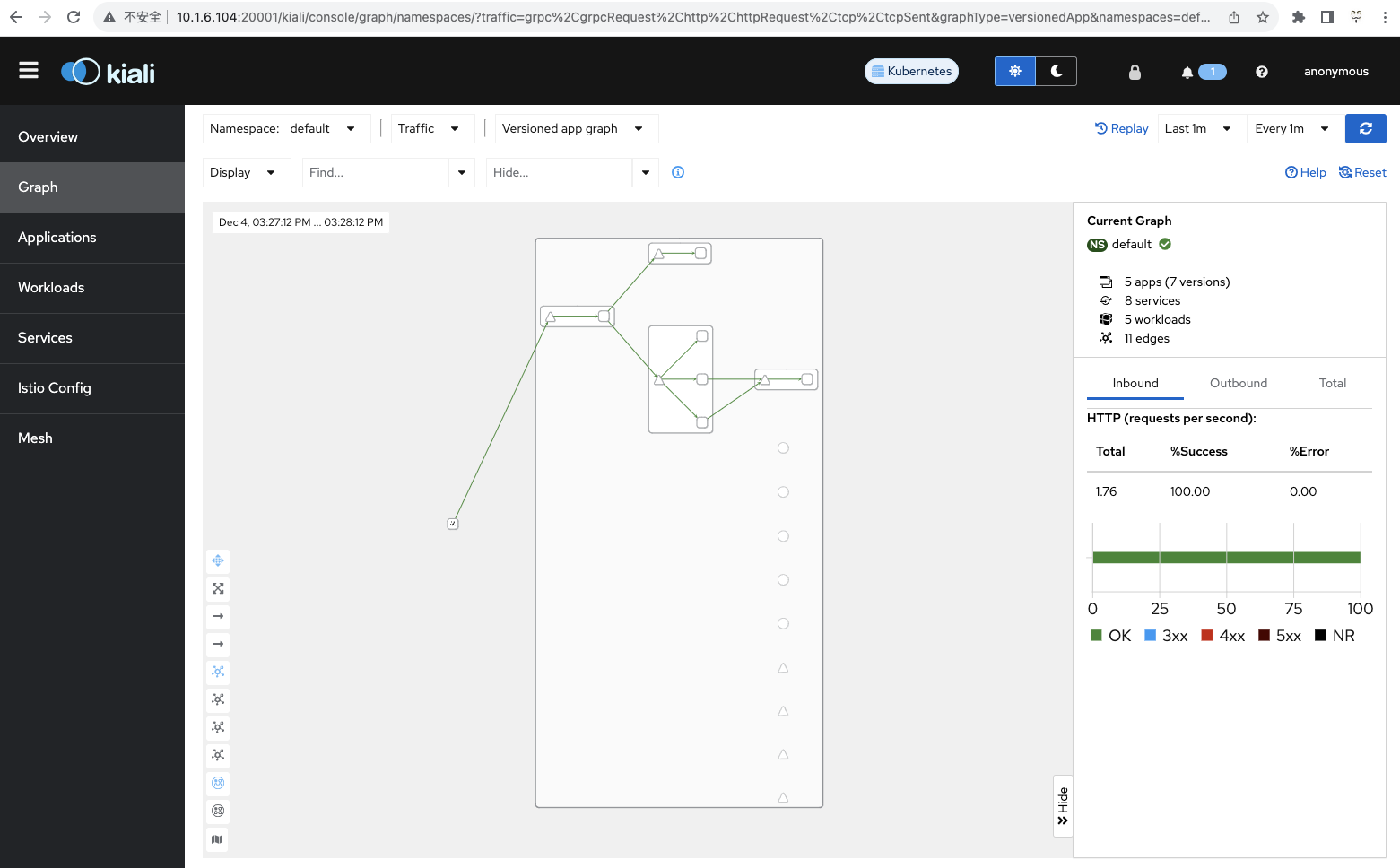
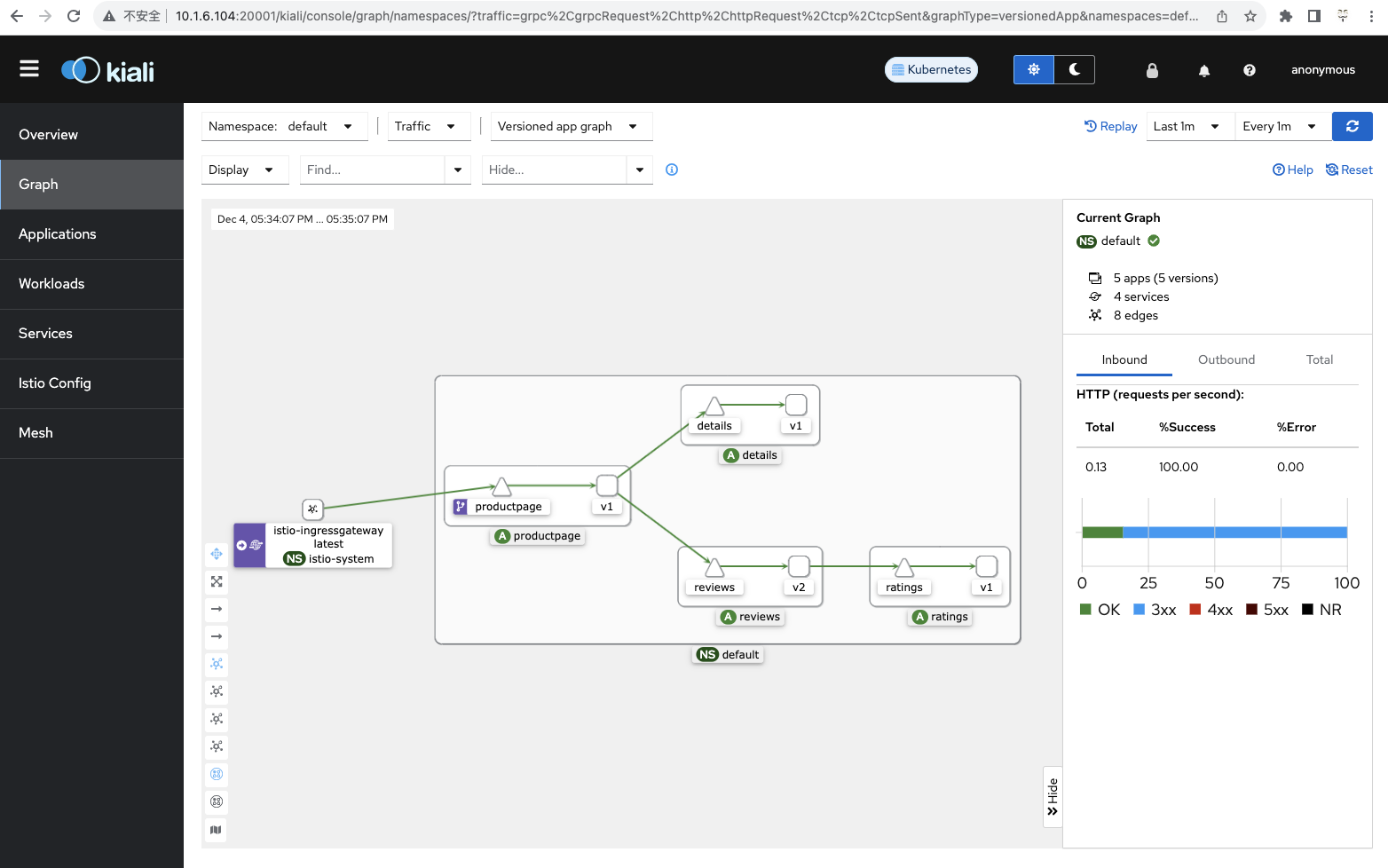
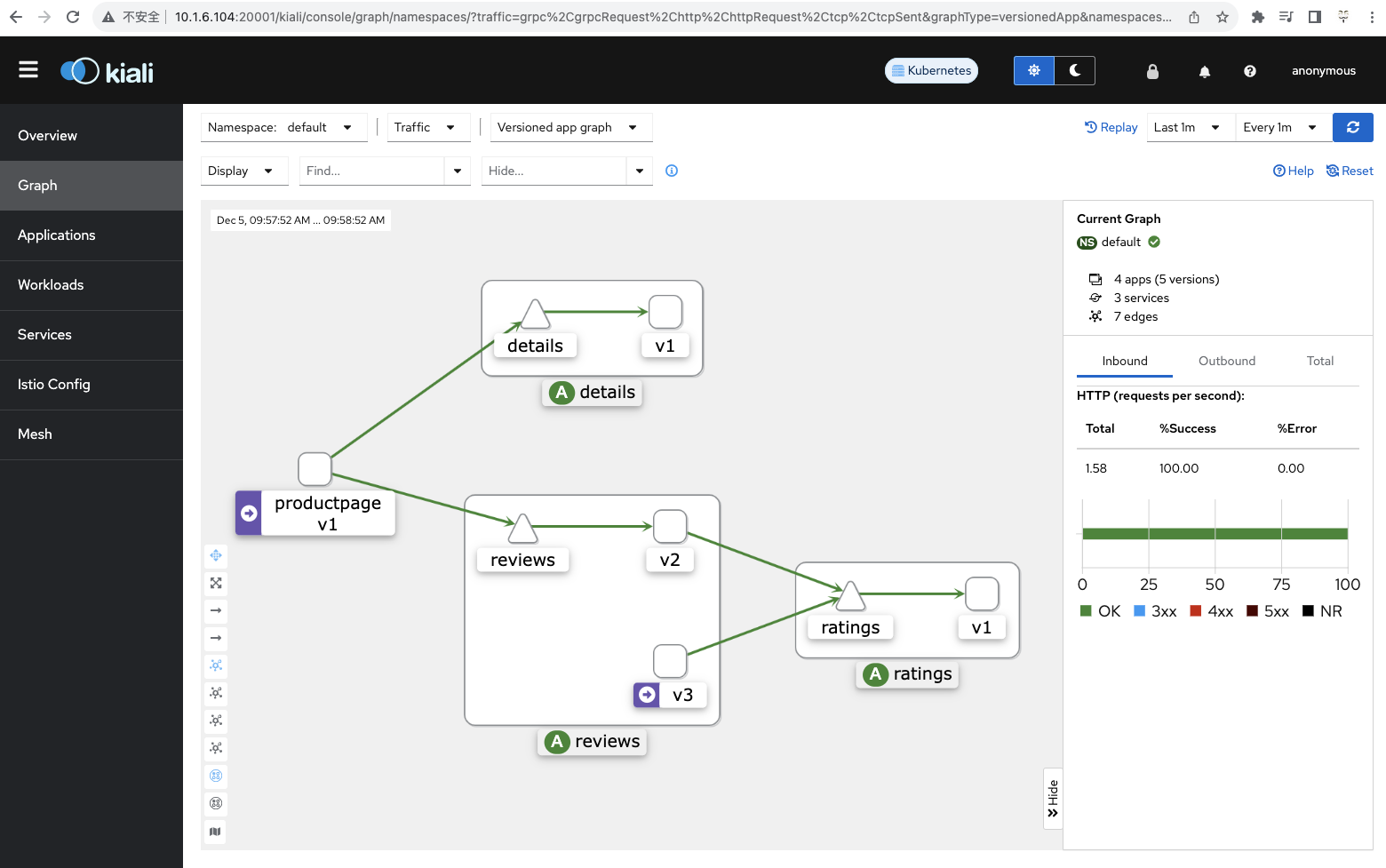
入门阶段总结
至此,完成了一个 demo 案例的展示;
那么在实际生产环境中如何将这种模式应用起来呢?
我检查发现早期的pod由于没有做一些处理,所谓的Missing Sidecar等,导致这个图没有在页面展示出来!
加入生产环境中的应用系统如何像上图一样,请继续思考研究……
早期参考文档
https://www.jianshu.com/p/95721c4836a8
异常原因排查
环境本来正常

隔了一个小时左右再去访问:
# kubectl exec "$(kubectl get pod -l app=ratings -o jsonpath='{.items[0].metadata.name}')" -c ratings -- curl -sS productpage:9080/productpage | grep -o "<title>.*</title>"
curl: (6) Could not resolve host: productpage
command terminated with exit code 6

此时,先前搭建的harbor也无法访问

无法访问此网站10.1.6.100 拒绝了我们的连接请求。
请试试以下办法:

检查网络连接
检查代理服务器和防火墙
ERR_CONNECTION_REFUSED

什么原因,也没做其他修改???
中间执行过几次
# for i in $(seq 1 100); do curl -s -o /dev/null "http://$GATEWAY_URL/productpage"; done
模拟流量变动


经过检查发现,宿主机中IP hosts中之前配置了一个10.1.6.100 master
去除该行,重启ingress-nginx,因为是测试环境,我重启了服务器,后续再次检查,发现SVC对应的IP已经由100变成了104
待继续观察